Billing Portal
The Credyt Customer Billing Portal enables you to offer your customers a comprehensive billing experience with complete visibility into their balances, usage and top-up history. From here they can top up their accounts directly and manage their billing settings.
Key features
- Real-time balance updates in both fiat and custom assets (tokens, minutes, etc.)
- Transparent reporting on usage and spend, helping customers plan ahead
- Both manual and automated top-ups to prevent service interruptions
- Self-service with no sign-up required for your customers
- Fully hosted by Credyt — no need to build complex payment flows or dashboards yourself
- Customizable with your own branding and product URLs
Integration
To open the billing portal for a particular customer you use the Credyt API to generate a pre-authenticated billing portal session link that you redirect the customer to. No additional UI or payment flow needs to be built on your side.
See our quickstart for how to generate a billing portal session.
Billing Portal UX
Below we break down the different sections of the billing portal.
Wallet Balances
- Shows the customer’s wallet account balances across both fiat and custom assets
- Displays total amount spent this month for easy tracking
- Always kept up to date with usage events and top-ups

Topup and auto topup
- Manual top-up allows customers to add funds whenever they need.
- Auto top-up automatically refills the wallet when balance falls below a set threshold, preventing service interruptions.
- Applicable only if the platform uses Credyt’s payment rails via Stripe.
- Ensures smooth operations and reduces friction in customer payments.
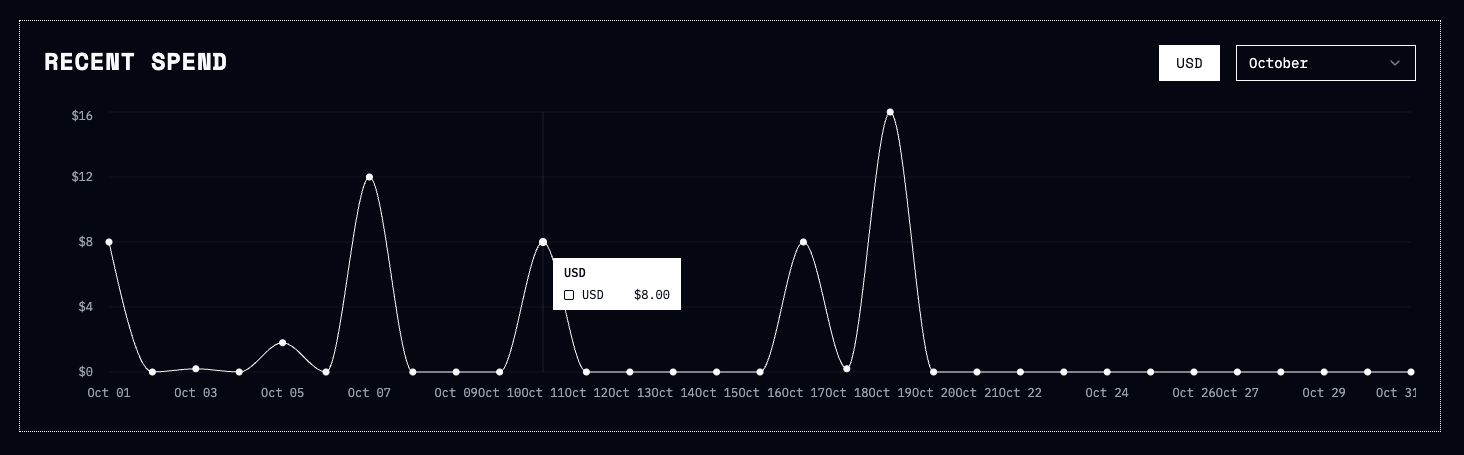
Spend history
- Charts show spend trends over time, in both fiat and custom units.
- Helps customers understand spending patterns and plan for future usage.
Usage history
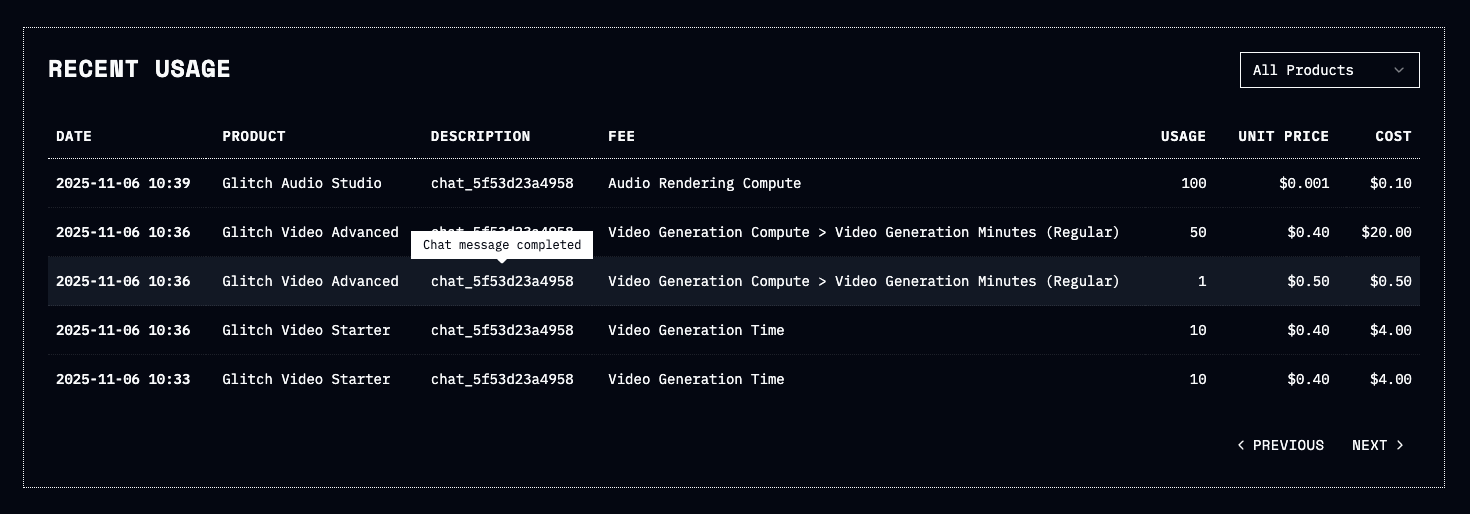
- Each usage record shows the product name, the subject sent by the platform (e.g., the specific task or action performed), and a tooltip with the event description.
- The fee description from the product configuration is also displayed, offering full transparency into how each event was billed.
- This added context helps customers understand exactly what each usage item represents and how it relates to what they did in the AI product.
Transactions
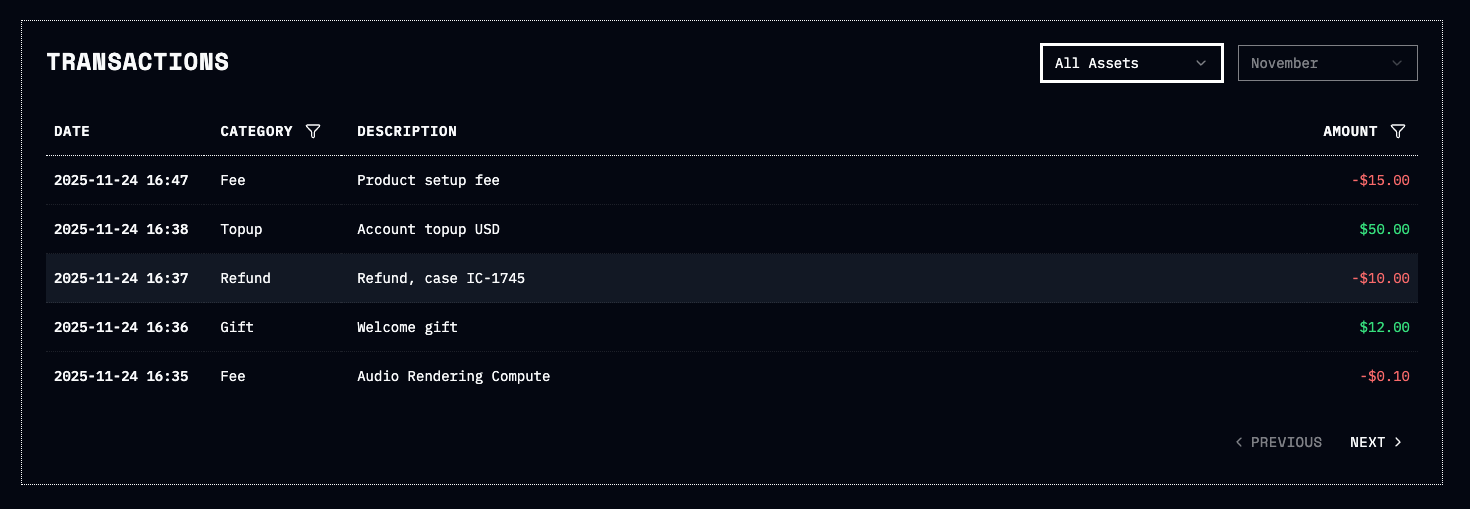
A complete, consolidated record of all credit and debit events affecting a customer’s balance, including top-ups, fees, refunds, gifts, and adjustments.
- Displays all relevant balance movements in one place for easy tracking and auditing.
- Covers a broad range of transaction types, including Stripe top-ups, external adjustments, refunds, usage and ad-hoc fees, and promotional credits.
- Includes filtering options by month, asset, and transaction category for efficient navigation of transaction history.